
If you’re running a business or managing a small marketing team, YouTube might feel out of reach without a full crew. But you don’t have to hire a big in-house staff to make it work. With a clear plan and a focus on what moves your audience, strong videos can start with just one person and some smart systems behind the scenes. Even if you haven’t taken a video editor course, there’s still a path to publishing content that looks polished and brings people back for more.
We’ve put together a simple way to approach solo content creation that doesn’t burn you out or require gear overload. If you’re building a channel or want to grow leads and visibility with video, this will guide you through it one step at a time.


Plan Content Around Your Audience and Goals
Before picking up a camera, it helps to get clear about two things: who you’re making videos for and what result you want from each one. When you skip this part, it’s easy to fall into creating content that looks good but doesn’t get clicked.
Here’s how we like to map it out:
• Start with your ideal customer’s day-to-day questions or problems
• Make each video focus on one clear thought, answer, or tip
• Use batch planning to brainstorm 4 to 8 ideas at once
This keeps your filming tight and your content focused. You’ll know what to say before you hit record, and you’ll stay on track with messages that match your offers and leads.
Sometimes, you may find your ideas wandering or topics overlapping. That’s normal as you refine your approach. If you’re unsure where to start, imagine answering a single customer’s most common question in each video. You’ll end up with a library of helpful resources that regularly attract new viewers to your business without extra effort.

Record Smarter With Just the Basics
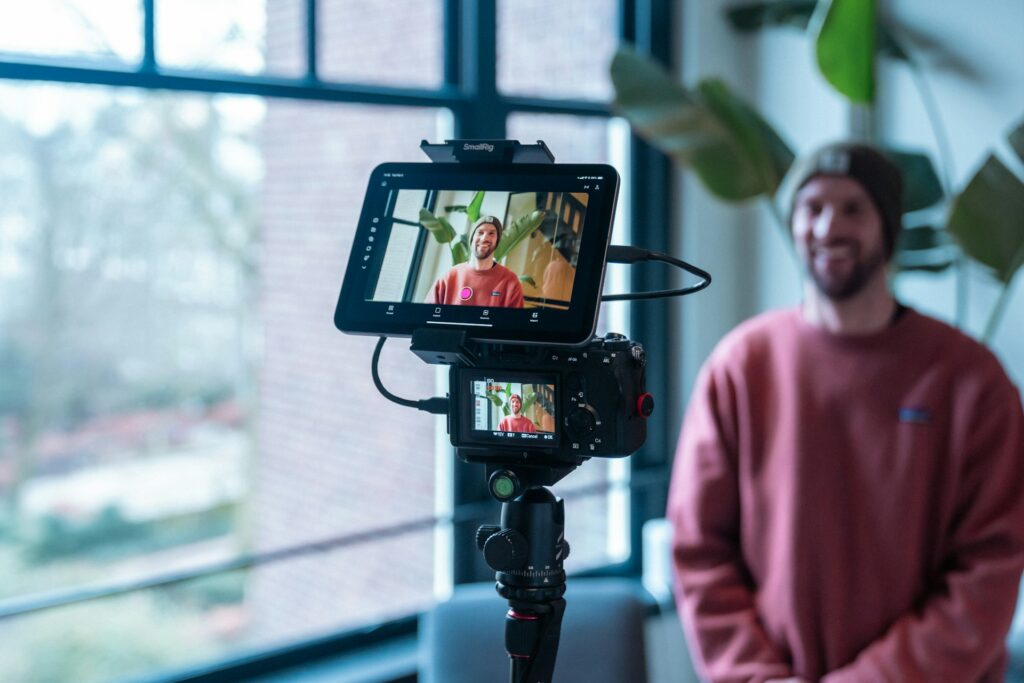
You don’t need heavy tech or a studio setup to start filming. A stable phone camera, a ring light, and a quiet room are more than enough. Keeping things simple helps you record consistently, especially when you’re doing it alone.
The trick is to reduce the mental load by building a shooting rhythm:
• Use the same background or office corner each time
• Record at the same time of day so lighting stays predictable
• Keep your talking points short, using bullet notes or a loose script
One of the easiest ways to get more out of your video time is to record both long-form and vertical videos in the same session. Just shift your angle or reframe your content once you’ve nailed the main points.
Try designating a specific space in your office or home just for video. This makes setup easier and eliminates the need for constant rearranging. When you keep your environment and routine predictable, you’ll spend less energy prepping and more time actually filming valuable content.


Edit Like a Pro Without Being One
Editing doesn’t have to be a chore. With free or low-cost tools like Canva or CapCut, you can trim out pauses, add captions, and polish your clips in a way that feels natural. These tools handle a lot with just drag-and-drop clicks.
If video editing still feels overwhelming, a short video editor course can help you catch up on basics like timing, transitions, or adding logos. A few simple edits can make your videos feel more professional, without adding hours to your day.
To save time, create repeatable layouts or templates so you’re not starting over each time. That way, you can push content to YouTube, Instagram, and other platforms without needing to edit a separate version from scratch.
Processes like setting up shortcut keys or batch exporting can also speed things up. If you use background music, make sure it’s both royalty-free and subtle enough not to overpower your voice. As you gain confidence, experiment with different styles of cutaway shots, graphics, or effects that support your message.

Make the Most of YouTube Shorts for Reach and Leads
Not every video needs to be long to get attention. YouTube Shorts are a powerful way to grab new viewers who scroll fast and engage quickly. If your goal is to grow impressions and turn interest into leads, this is a smart place to focus your edits.
We recommend clipping down strong moments from longer recordings. You don’t need to add new filming days. Just find moments that stand alone and tell a clear message quickly. Shorts should feel clear without sound, so use captions at the top of each video when you can.
Here’s how to build Shorts into your mix:
• Pick out 30- to 60-second clips from existing videos
• Add bold captions and keep visuals centered
• Include a short call to action at the end (like “watch full video” or “grab the free checklist”)
• Post your Shorts alongside longer content to build rhythm in your upload calendar
When you stick with one idea per clip and set up the content for mobile viewers, these Shorts can reach beyond your current audience and bring in fresh subscribers and clicks.
To increase the value of your Shorts, revisit analytics to see which topics or hooks draw the most attention. Experiment with different backgrounds and on-screen text to grab interest in the first few seconds. A series of related Shorts can even reinforce brand recognition and keep people coming back for more.
Systems That Help You Stay Consistent Without the Stress
Publishing videos gets easier when the behind-the-scenes work is organized. Creating simple systems to manage titles, thumbnails, and upload schedules will save you hours every month and keep your messaging clear.
You don’t need fancy software to do this. Just start with:
• A shared doc or spreadsheet for your topics, scripts, and callouts
• Templates for thumbnails so your brand is easy to spot
• A repeating reminder to post weekly or biweekly
Don’t let your best clips get buried either. Embed them in blog posts, email newsletters, or landing pages so they keep working for you long after the upload.
When you batch your content, keep your style consistent, and build a shelf of reusable assets, video creation becomes part of your workflow, not a separate project you have to squeeze in next month.
Organize your files and assets into folders by project or content theme to avoid searching at the last minute. Make checklists for upload steps, such as verifying end screens or adding links in descriptions, to minimize missed details. As you design systems to handle repetitive tasks, you’ll find publishing becomes a natural part of your weekly schedule rather than a disruption.

Create with Confidence, Even Without a Big Team
You don’t need a studio or a full-scale team to get your videos out there. With a strong plan, a clear message, and tools that help you move through recording and editing quickly, you can grow your channel while keeping your time and energy focused.
Making YouTube content solo is completely doable when your systems are aligned with your goals. The more you show up with content that matches what people want to see, the easier it gets to build views, leads, and brand trust every time you publish.
Remember, each video is another opportunity to connect with your audience and showcase your expertise. Consistency and authenticity matter more than perfection, so keep refining your workflow until it supports your creativity without adding stress.
Ready to learn basic editing skills before fully outsourcing your videos? A quick video editor course can help speed up your workflow and build your confidence to move forward. It’s a great way to get familiar with what makes content clear, polished, and ready for growth, especially if you plan to work with support down the road. At Acceleratus Media, we guide business owners through systems that boost visibility without making things harder. Whether you’re just getting started or refreshing your process, we’re here to make video creation easier. Work with us to get your next steps in place.